Community Forum Guide
See how the USCCA Community can help you be more successful.
The USCCA Community is our own platform where more than 80,000 like-minded Americans come to talk about life, liberty and everything in between. As an Official Partner, you have access to a special private channel just for range and retail businesses; letting you…
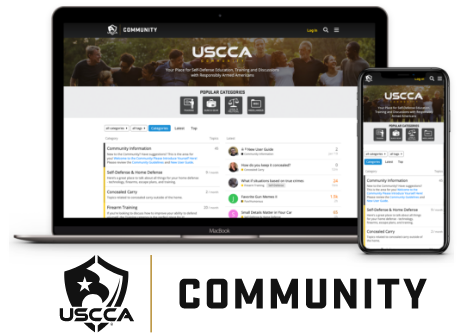
- Network with other gun range and retail owners from across the United States to discuss topics that are important to pro-2A businesses just like you.
- Learn from your end users by engaging with them; helping you find out what they really care about when they go to the range.
- Grow your business by sharing your experience and feedback with your USCCA support team; standing by to answer your questions and help you find success.
How to Utilize The USCCA Community Private Forum for Ranges and Retailers
- If you are a new visitor to the USCCA Community click here.
Returning users with existing accounts please go here www.USCCA.com/community. - Login with the email address and password associated with your USCCA account (this should be set up as part of your Official Partner onboarding process)..
- “Official Partners” will be the top category in your category list.
This is a private category you will see only after you have been granted access to it and are logged in. - You will have access to all of the public categories as well.
Please note where you are when you’re responding or posting so as to not post Range & Retailer private information in the public portion of the Community. - Please abide by the Community Guidelines.
There is a link to the guidelines at the top of the home page of the Community. There is no advertising policy in the Community. If you would like to give Community participants a special rate, that will be allowed and can be posted in the regional category where your business resides. - Please update your profile.
Click on the circle with the letter in the upper-right-hand corner of the screen. Click on the gear in the drop- down menu. You will be able to upload your profile picture there and update your profile information. You are welcome to include your contact information and website.